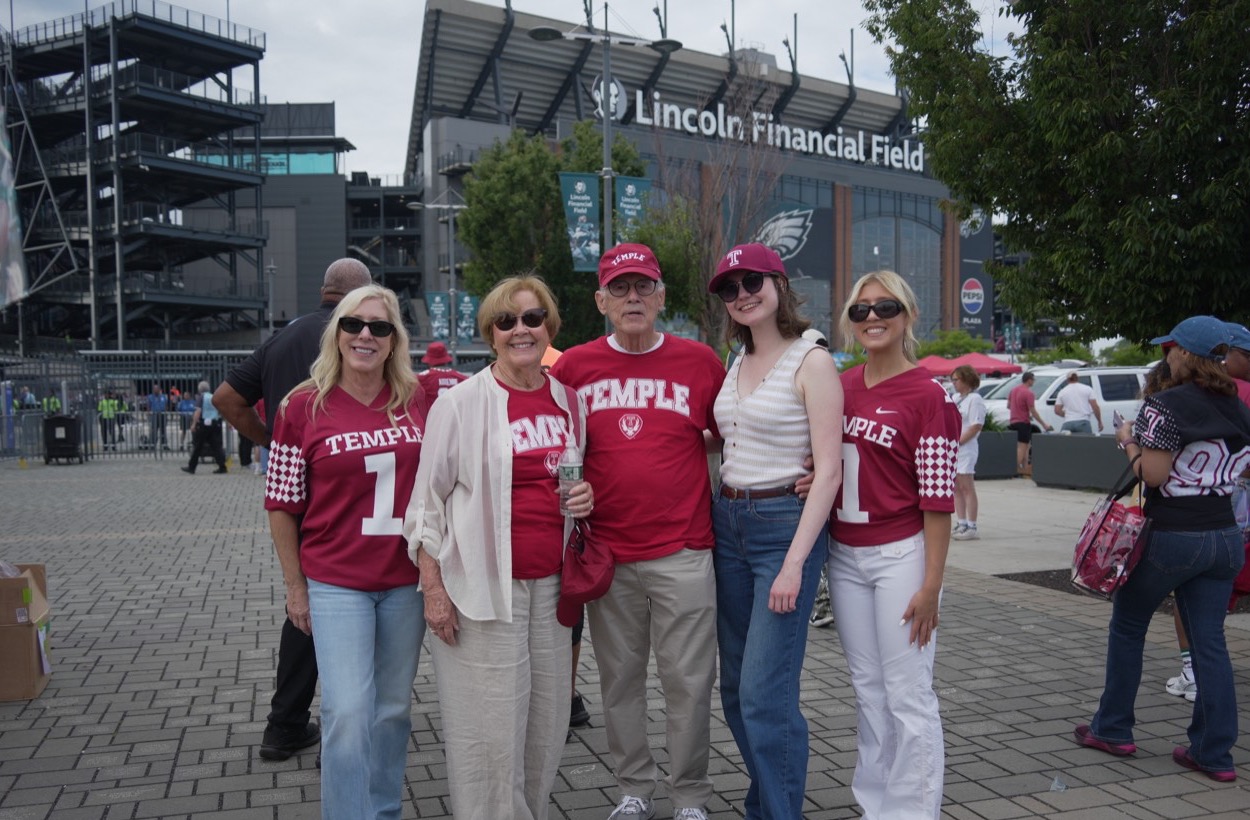
Temple FanCam
Fan photo stations connected game-day portraits with guest signup.

Help guests sign up through event QR codes or the Brand Ambassador app. Your team can capture a group photo and collect phone numbers together.
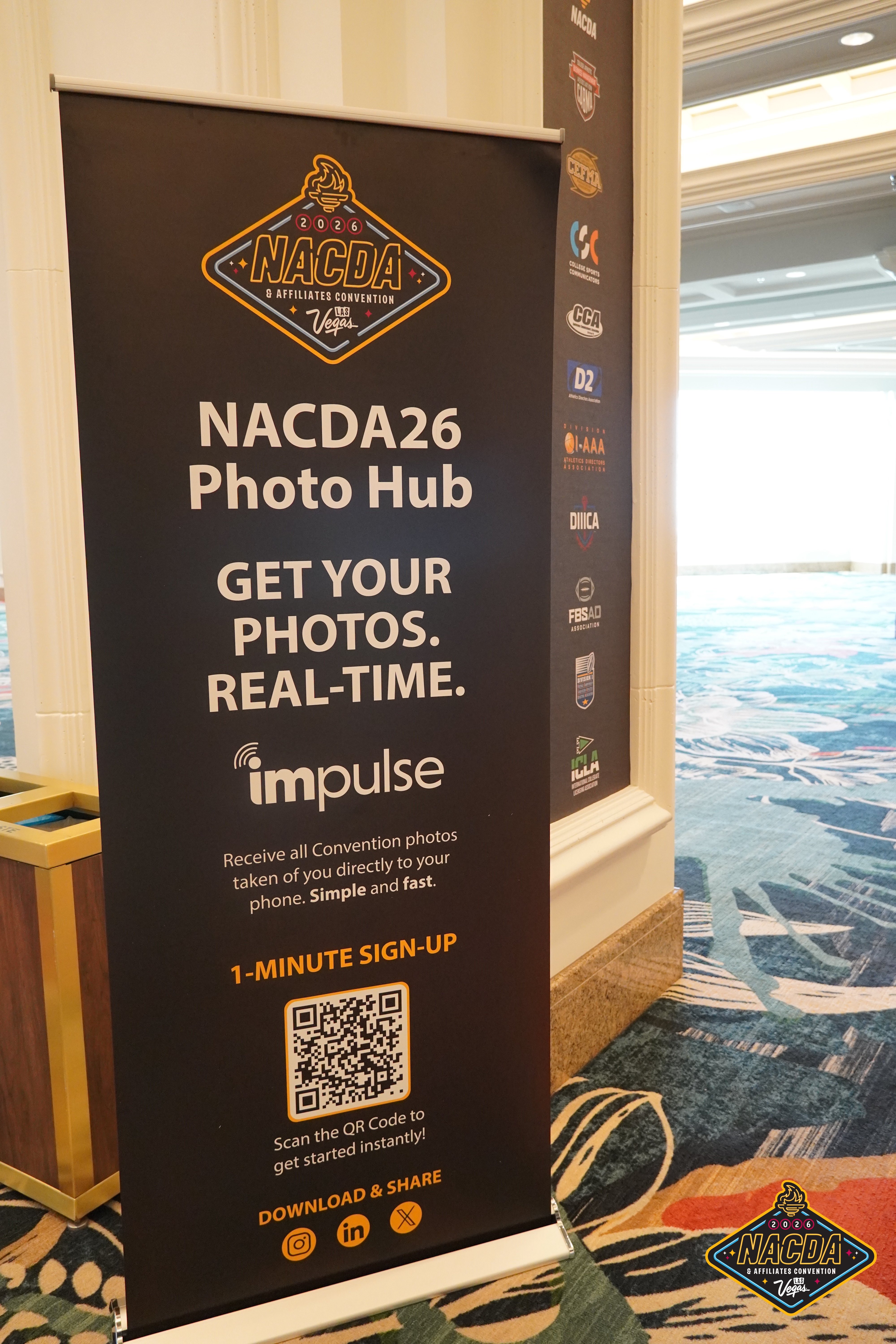
A Photo Hub banner gives attendees a clear place to scan and sign up. Put the QR code where guests can stop and use their phones.
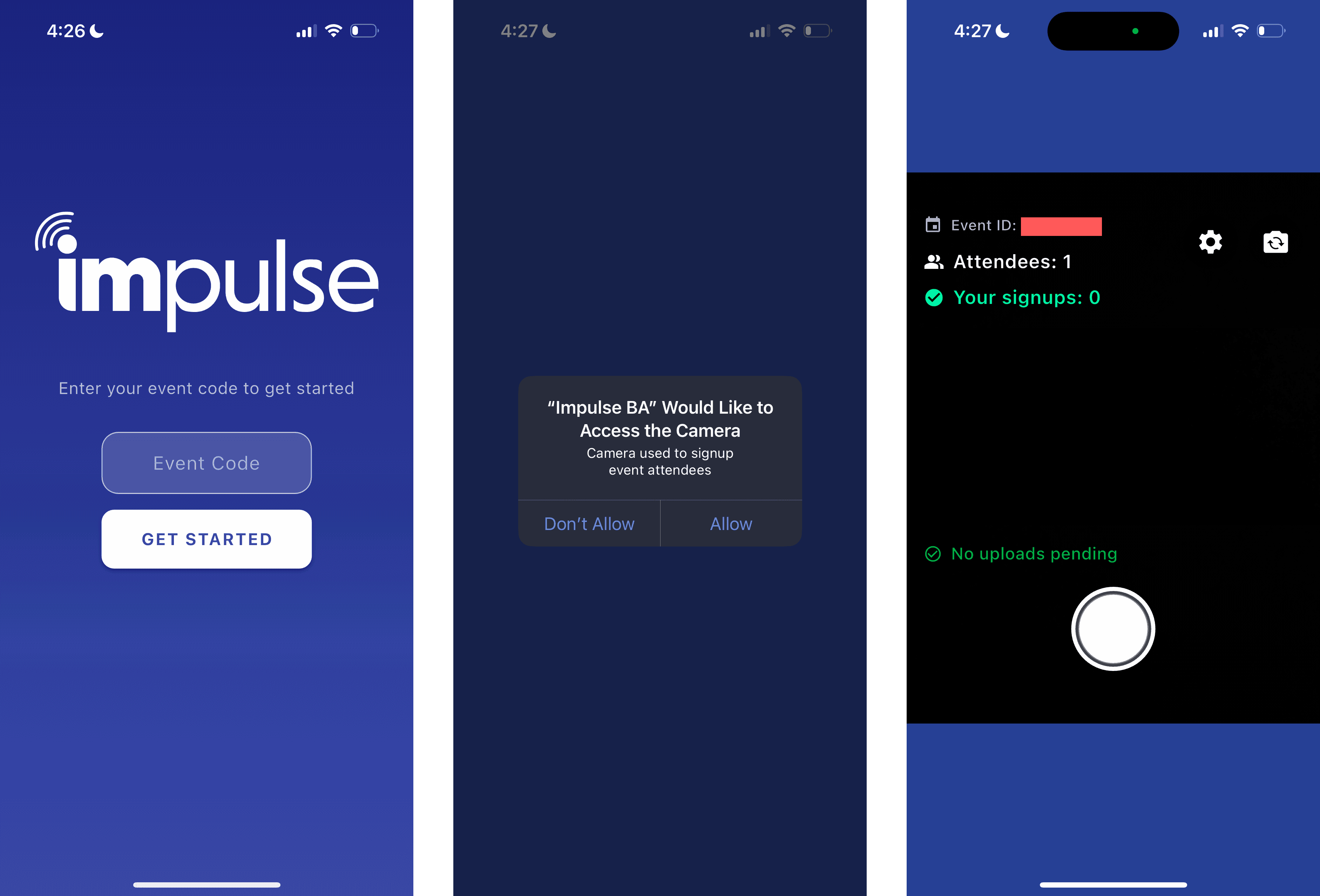
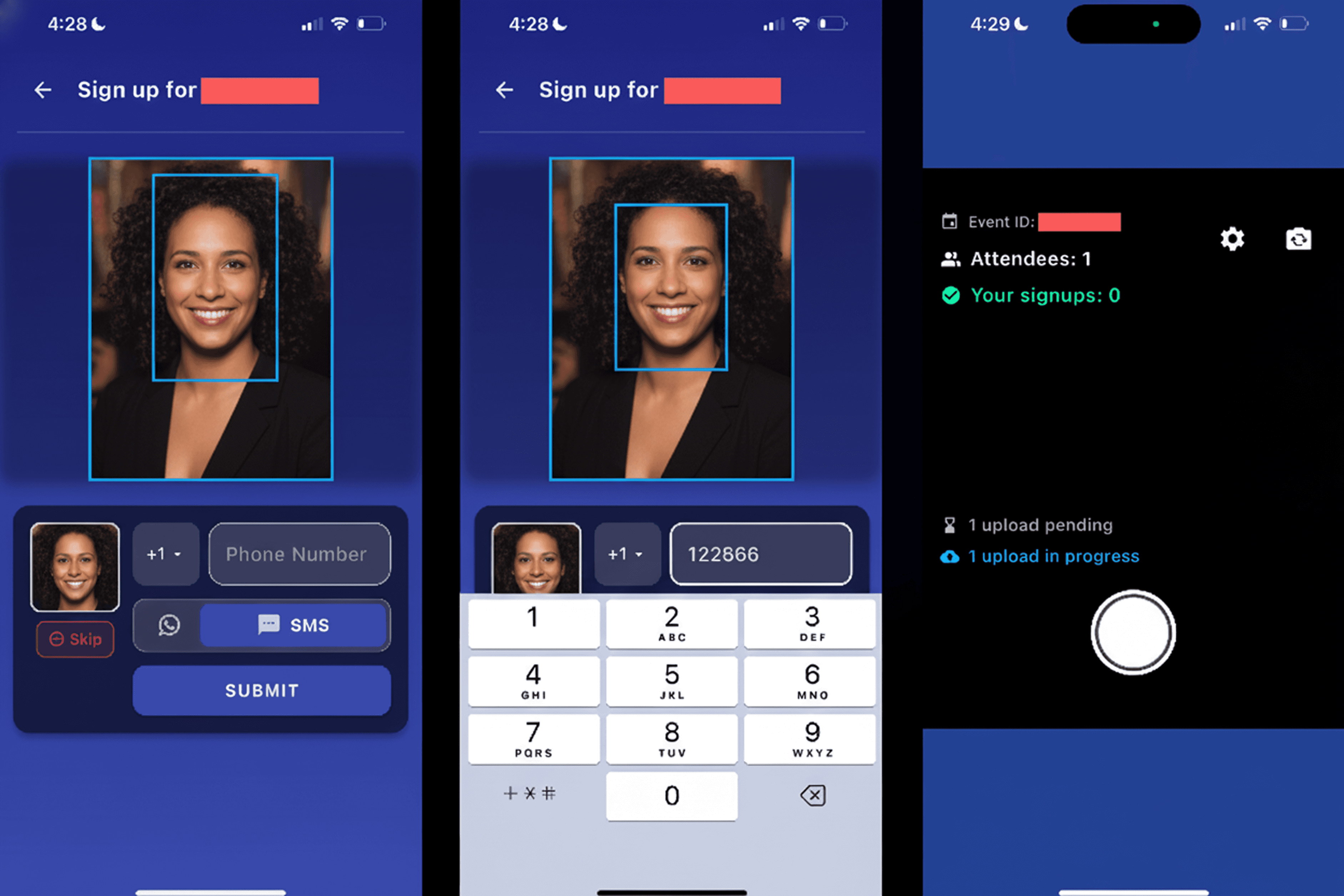
Ambassadors take a photo of 1 or more guests, collect their phone numbers, and submit the signup. Guests then receive their event photos.
Put the signup link where guests stop: entry, sampling counters, or photo stations.
Use the Brand Ambassador app to photograph guests and collect their phone numbers. Enter your event code before capture.
Confirm connectivity and how photographers will upload their images.
Fan photo stations connected game-day portraits with guest signup.

Ambassadors helped guests move from sampling to signup and photos.
Use visible locations near entry, photo moments, and staffed activation points.
Yes. The Brand Ambassador app lets your team photograph 1 or more guests and collect their phone numbers in the same flow.
Confirm devices, connectivity, signage, photography handoffs, and who handles guest questions.